Comparisons Open Net Worth v0.1.35
Leave YNAB With Your Plan: Categories, Assigned and Sync
Migrate from YNAB with your categories and monthly Assigned. Switch on the experimental import in v0.1.35, review the plan, then sync one way or both.


Migrate from YNAB with your categories, every transaction and every month’s Assigned, then keep the two sides in step for as long as you want both. Open Net Worth, the open-source personal wealth agent, imports them into a private family office you run yourself, with Lucius working the books, and checks the result against YNAB’s own figures.
This guide covers v0.1.35, released Nov 3, 2026. You turn on one experimental switch, save a YNAB token, review the plan in a single window, choose where each account and category goes, and pick which way changes flow. If you are still deciding whether to leave, our Open Net Worth vs YNAB comparison says where YNAB is better.
We build Open Net Worth, so treat this as the maintainers’ view. Every claim about YNAB links to YNAB’s own pages, checked Nov 3, 2026.
Short answer: Turn on Ynab import and sync under Settings → Developer → Experimental, save a YNAB personal access token in Automations → Data sync → YNAB, then review and import the plan. Accounts, categories, every transaction and each month’s Assigned come across and are checked against YNAB; goals and scheduled transactions do not. The sync can then run from YNAB, to YNAB or both ways.
Note: Open Net Worth is software, not a financial advisor. This post shows how the app works; it is not financial, investment, tax or legal advice.
What you need before you start
- Open Net Worth v0.1.35 or later. Installed desktop apps update themselves; the self-hosting guide covers the server and Docker routes.
- A YNAB login and a plan in one currency. A book that already holds data in another currency cannot take a plan in a different one.
- A fresh book if you can. The docs call it the cleanest target, and the app takes a backup before it writes anything.
- A connected AI model, because first run asks for one. The data sync itself uses no model.
Step 1: Switch the experimental feature on
The import and the sync are experimental. They are on by default since v0.1.36 and were off in v0.1.35, where the Data sync tab is missing until you turn them on.
- Open Settings → Developer → Experimental, the first block under Developer.
- Switch on Ynab import and sync. A Data sync tab appears at the top of Automations.
If you host Open Net Worth as a server, ONW_FLAG_YNAB_IMPORT_AND_SYNC=1 in its environment does the same, and the row then shows the variable and a switch that no longer has an effect. Lucius cannot change these switches.
Switching it off again stops the sync and hides the tab, but keeps your settings, review list and history, so switching it on carries on where it left off. The public demo always runs experimental switches at their defaults, so this is a feature to try on your own install.
Step 2: Create a YNAB token and take your own export
In YNAB, open Account Settings → Developer Settings → New Token, enter your password and copy the token (YNAB API docs). YNAB shows it once. It does not expire, you can revoke it from the same screen, and YNAB describes personal tokens as meant for the account owner’s own use. Open Net Worth stores it write-only and never returns it to the browser; our data flow post lists what else leaves your machine.
Then take a copy that does not depend on any app. In the YNAB web app, click your plan’s name and choose Export Plan. You get two files, CSV or TSV (tab-separated, for currencies that use a comma): the plan with its categories and category groups, and the transaction history (YNAB Help Center). Exporting works only in the web app, and the files leave out targets and category notes. Keep them until you have checked the import.
Step 3: Connect YNAB and review the plan
- Open Automations, switch to Data sync at the top and pick YNAB.
- In step 1 on that page, click Connect YNAB…, paste the token and Save. If a later step says YNAB refused the token, Change beside “Token saved” reopens the panel.
- In step 2, choose your plan and click Review….
Review reads the plan afresh, in one full export, and writes nothing. One window opens. A line says what the plan holds: currency, accounts, transactions, categories and budget months. Notes follow for anything the import would change here, such as unused starter categories it would remove, or accounts of yours that did not come from YNAB (they stay, and the plan is added beside them).
Three tabs show the plan itself: Accounts, Categories and Transactions, newest first. For a long history the last tab shows the newest 500, and the import brings every transaction. The import takes no start date.
Step 4: Decide where each account and category goes
In the Accounts tab, In this book defaults to New account. Choose Use and one of your own accounts when you already have it here. It must be open, in the plan’s currency and of a matching type, so cash goes into cash and a card into a card. The line beneath counts how many of its transactions are already there (matched, never booked twice), how many are added and how many are to check. A matched transaction keeps your payee, category and memo; YNAB only fills what you left blank.
In the Categories tab the same menu has four choices.
| In this book | What happens |
|---|---|
| Matches your… | Keeps your name, envelope and group |
| Into your envelope… | Joins an envelope of that name |
| New category | Gets an envelope of its own |
| Use your… | Pairs with another of your categories |
A YNAB category is both a label and a budget. Here the label is a category, and the budget belongs to an envelope that can hold several categories. Names are compared without emoji, symbols, capitals or extra spaces, so YNAB’s “Groceries” with a cart emoji in front is matched with your “Groceries”, and nothing of yours is renamed or moved.
The grey line under each choice says what it means for the budget. A category alone in its envelope syncs its Assigned with that envelope. In a shared envelope only the labels sync, and a category in no envelope is not budgeted here. If a YNAB category matches more than one of yours, nothing is guessed: the window asks you to pick, and Import waits.
Step 5: Pick a direction and import
Under After import, choose how the two sides should behave from now on.
- Keep in sync both ways is the default. Each side’s changes reach the other.
- Sync from YNAB only brings YNAB’s changes in and never writes to YNAB.
- Sync to YNAB only sends this book’s changes and never changes the book from YNAB.
- Don’t sync, import once leaves the sync off.
One person in a r/YNABAlternatives thread chose Actual Budget and planned to “run it side by side with ynab until my subscription expires”. After a week they “didn’t even want to look at ynab anymore”. Here, Sync from YNAB only gives you that trial without touching your plan. Keep in sync both ways also lets a partner who stays on a shared YNAB plan keep working there while you work here.
Click Import. The app takes a backup first and names it in the report; if the backup fails, nothing is imported. View live report opens the run while it works. You can close the tab, because the work continues on the server. When the import succeeds the sync turns itself on, hourly by default, unless you chose Don’t sync, import once. Running the import again is safe: nothing is booked twice.
What comes across and what stays behind
| What | Import | Sync afterwards |
|---|---|---|
| Accounts | Yes | No |
| Transactions | Yes, all of them | Yes |
| Categories and groups | Yes | Yes, both ways |
| Monthly Assigned | Yes | One-category envelopes |
| Card payment category | Yes | Read from YNAB only |
| Goals | No | No |
| Scheduled transactions | No | No |
Goals are the per-category targets you set in YNAB. They are not migrated, and neither the import nor the sync creates them, so note them down in YNAB before you cancel and set targets again in the budget.
The rest follows YNAB’s own data closely:
- A closed YNAB account is created here and then archived.
- A transfer between two accounts is one transfer. A split with a transfer line becomes a split plus a separate transfer.
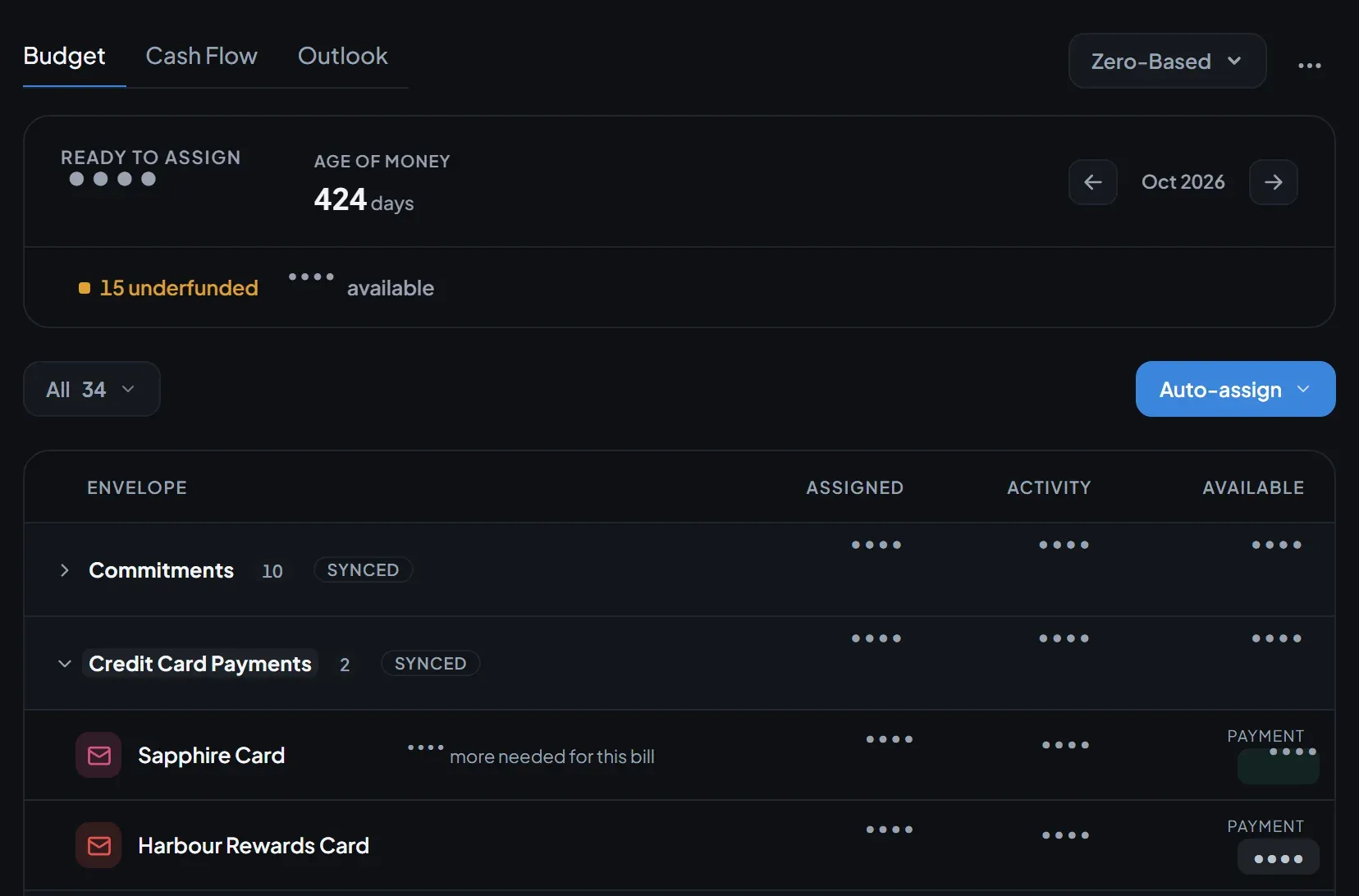
- Each month’s Assigned comes across as YNAB has it, negative amounts included, and the budget is set to Zero-Based.
- Ready to Assign inflows become uncategorized income, and imported rows keep YNAB’s labels: payee defaults and Automations do not relabel them.
- Where an account’s balance in YNAB is not the sum of its transactions, typically loan interest that YNAB calculates, the difference is booked once as a labelled balance adjustment.
Check the report against YNAB
When the run finishes, its report has a Verification section: how many checks were made and how many match. The ones that differ come first, with YNAB’s figure, the book’s figure and the difference. Show all lists the matches.
Per the design record, the checks cover account balances and counts, and for the current month each envelope’s assigned and available amounts and Ready to Assign. A transaction count that differs usually means a row was not booked. An envelope or Ready to Assign difference means the two apps’ budget rules gave different numbers for your history.
The same record says how far this has been tested. It reports that a maintainer’s own multi-year plan imported with zero mismatches, which we have not repeated for this post. It also reports a test plan that exposed a gap in Ready to Assign. A card had been paid more than it owed, and its credit dropped out of the budget. v0.1.35 fixed it, so a card in credit now counts as budget money, as YNAB counted it on that plan. In an invented example, a card paid $150 against $100 owed holds $50 of credit that now counts in Ready to Assign.
Verify first, cancel after. Cancelling happens in YNAB. Its pricing page lists $109 a year or $14.99 a month, plus tax where applicable, as of Nov 3, 2026, so a month of overlap on the monthly plan costs $14.99 plus tax.
How the sync keeps both sides in step
Each run reads only what changed in YNAB since the last one, in a single request, and compares it with what changed here against the last state both sides agreed on.
| Since the last run | What the sync does |
|---|---|
| Only this book changed | Sends it to YNAB |
| Only YNAB changed | Pulls it in |
| Both changed, to the same thing | Nothing to do |
| Both changed, differently | Asks you in Needs your review |
The direction only gates the first two rows. A change on both sides always goes to review in every direction, with Keep Open Net Worth’s and Keep YNAB’s side by side. The first run is careful with Assigned: nothing is overwritten, and every month and category where the two sides differ is listed for your review. After that, changes move on their own.
You can see the sync from inside YNAB:
- Every transaction it creates or changes gets a red flag. Clear it whenever you like; it does not return unless the row changes again. If red already means something in your plan, the two meanings will mix.
- Every Assigned it sets adds a line to that category’s note, such as
ONW 2026-10: assigned 120.00 (was 100.00). The last 10 such lines are kept and the rest of your note is left alone.
Some things it will not do. It never deletes a category. One hidden or deleted in YNAB is hidden here. One hidden, deleted or merged here is moved into a YNAB group called Hidden in Open Net Worth, because YNAB’s API spec (v1.88.0) has no route to delete a category and no hidden field when saving one. A category in no envelope lives in a YNAB group called Not budgeted. A run that would delete more than 25 synced transactions, and more than a quarter of them, deletes none: each waits in the review list.
Assigned syncs only for an envelope that holds a single category. If you add another, the run says so once and the figures stop syncing until you take it out again. Accounts are not synced, so an account you open in YNAB later is not created here by the sync.
YNAB allows 200 requests an hour per token (rate limits). A run uses at most 40 and carries the rest to the next one, so nothing is lost. Sync now runs one on demand, only one run happens at a time, and ⋯ → Re-check against YNAB compares the book with YNAB’s current figures without writing.
The Actual Budget route, for comparison
Actual Budget comes up by name in the threads we read, and its docs describe the route well. You export your plan from YNAB as a JSON file, through a community web tool or with your own API token, then choose Import file → nYNAB in Actual (Actual docs, checked Nov 3, 2026). Its cleanup section covers credit cards that carried debt, which need a manual Credit Card category, and Ready to Assign differences you settle with Hold for Next Month. In the first thread, one user who had just switched to Actual wrote that “they have an importer that can bring in your YNAB budgets”.
Actual’s migration page describes a one-time file import. Open Net Worth’s import checks itself against YNAB and can keep both sides in step. Against that, Open Net Worth is a Beta release with an experimental import, and it needs a model connected at first run. If a budget is all you want, Actual’s importer is a fair choice; our open source net worth tracker comparison sets the open-source options side by side.
History is a decision to make before you import. In a second thread, one user did a fresh start in YNAB before leaving and kept the old file in Actual for reference. Another imported 10 years of YNAB4 into Actual, found the phone app slow, and “stripped it back to one year”, yet still thinks an import is what makes switching cheaper. Here the import takes no start date and brings the whole history, so keeping less means starting fresh in YNAB first, as the first user did.
Common problems
- There is no Data sync tab: the switch in Step 1 is off.
- Step 2 says YNAB refused the token: click Change beside “Token saved” and paste it again.
- The window says it can’t import: a book that already holds data cannot take a plan in another currency. Import into an empty book, or one in the plan’s currency.
- Import will not start: a YNAB category matches more than one of yours. Pick one in the Categories tab.
- A run is marked Interrupted: the server stopped mid-run. Run it again; everything already booked is recognised.
- A run lists Deferred items: YNAB’s request limit cut it short, and the rest waits for the next run.
YNAB’s terms say programs that use its API are “not officially supported by YNAB in any way” (last modified Apr 9, 2026). Its API terms also let YNAB change its limits and end API access at its discretion, and a sync that relies on the API depends on that. If the sync writes something you did not expect, that is a question for our Discord or GitHub issues, not for YNAB’s help desk.
Where this fits
A YNAB plan covers one slice of your money: what each month is for. Open Net Worth is built as a private family office for the other 99%, run by Lucius, and the budget is one room in it. Once the plan is in the book it sits beside your accounts in any currency, your investments, your property and your loans. Lucius runs briefings, reports and checks on the schedule you set, and he can read any plan your token sees, live: ask what’s left in Groceries in your SGD plan and he reads that plan without changing anything in it. The AI agent post covers what he may change and how Restore undoes it.
What we couldn’t confirm
We have not run this on a real long plan for this post, and we have not measured how Open Net Worth handles a 10-year history. The design record says that a category hidden by YNAB’s own app has only been exercised against a test stub. The import and sync are experimental, so check the first report against YNAB before you cancel anything. Problems go to GitHub issues.
How we checked this
Checked against open-net-worth@888fc602 (v0.1.35), its docs, design records and code, and YNAB’s API docs, API spec v1.88.0, terms, pricing and help pages, Actual’s migration docs and two public threads, all on Nov 3, 2026. Nothing was run for this post; the steps come from the docs and the code.
Download v0.1.35, switch on Ynab import and sync, paste your YNAB token and review the plan before anything moves: the review writes nothing. Install steps are in the docs, and the full reference for this feature is the YNAB data sync page. Questions go to Discord, bugs to GitHub issues.
Frequently asked questions
Does Open Net Worth import my YNAB categories and monthly Assigned?
Yes, from v0.1.35 with the Ynab import and sync switch on. It brings accounts, categories and groups, every transaction and each month's Assigned, then checks them against YNAB. Goals and scheduled transactions are not migrated.
Can I keep using YNAB while I try it?
Yes. In the review, before you click Import, you choose to sync from YNAB only, to YNAB only, both ways, or not at all. Reading YNAB never changes anything in it, and from YNAB only never writes to it.
Does the sync delete anything in YNAB?
Never a category: YNAB's API cannot delete or hide one, so the sync moves it into a group called Hidden in Open Net Worth. A transaction deleted on one side can be deleted on the other, but a run that would delete more than 25 and more than a quarter of the synced ones waits for your review.
Does the sync need an AI model?
No. A data sync follows fixed rules instead of a Lucius prompt, so no model is involved and it costs nothing to run. First run of the app still asks you to connect a model.
Sources
- YNAB data sync (Open Net Worth docs)official
- Bank and brokerage connectors, YNAB section (Open Net Worth docs)official
- Open Net Worth 0.1.35 release notesofficial
- YNAB migration ADR at 888fc602 (v0.1.35)official
- YNAB two-way sync ADR at 888fc602 (v0.1.35)official
- A card in credit is budget money, ADR at 888fc602 (v0.1.35)official
- Experimental switch declaration at 888fc602 (v0.1.35)official
- YNAB API documentation, including its API termsofficial
- YNAB API OpenAPI spec, v1.88.0official
- How to Export Plan Data (YNAB Help Center)official
- YNAB Terms of Service, last modified April 9, 2026official
- YNAB pricingofficial
- Migrating from nYNAB (Actual Budget docs)official
- Left YNAB after reading their privacy policy. What are people actually using today? (r/YNABAlternatives)
- Leaving a locked budget app: is history import the real blocker? (r/YNABAlternatives)
Keep reading

Comparisons
Open Source YNAB Alternative: Same Budget, Plus an AI Agent
An open source YNAB alternative that runs the same zero-based budget inside a personal wealth agent you host. What carries over, and where YNAB wins.
 11 min read

Self-Hosting
Import Bank Statements Into a Budget App: PDF to CAMT.053
Which bank statement files a budget app can import as is, which need an AI model, the real limits, and what happens when you import the same file twice.
 8 min read

Comparisons
Open Source Net Worth Trackers Compared: What the AI Can Do
Open source net worth trackers compared on license, investments, budgets and imports. Then the AI: can it change your data, act on its own, or trade?
11 min read